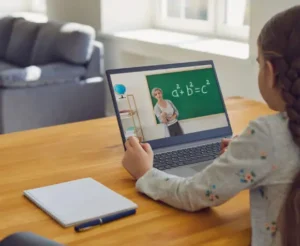
How to Create a Comfortable Home Setup for Gaming and Entertainment
 admin@BotanicalEase.com
A good home entertainment setup does not have to be expensive or complicated. Whether you enjoy gaming, movies, music, streaming, or online communities, a few thoughtful choices can make your space more comfortable and easier to use.
The best setup is not necessarily the one with the most powerful equipment. It is the one that matches your habits, available space, budget, and favorite activities.
Start With the Space You Have
Before buying equipment, look at the space available in your home.
A small bedroom, office, living room, or dedicated gaming area can all work as an entertainment space. The important thing is to understand the available room before deciding what to purchase.
Measure the area where you plan to place your desk, television, monitor, speakers, or gaming equipment.
Leaving enough space for comfortable movement can make the room feel less crowded.
If you are using a desk, make sure there is enough room for your computer, monitor, keyboard, mouse, and other accessories without making the surface difficult to use.
Choose a Comfortable Chair
Comfort should be one of the first priorities in any gaming or entertainment setup.
If you regularly spend time at a desk, choose a chair that provides appropriate support and allows you to maintain a comfortable position.
You do not necessarily need a specialized gaming chair. A well-designed office chair can work just as well for many people.
Adjustability can be useful because people have different heights and preferences.
The chair should allow you to sit comfortably while keeping your screen at a practical viewing height.
Position Your Screen Carefully
Monitor and television placement can have a significant effect on comfort.
The screen should be positioned so that you do not need to constantly tilt your head upward or downward.
Avoid placing a monitor where direct sunlight creates strong reflections.
If you use multiple screens, arrange them so that the display you use most frequently is directly in front of you.
For a television-based setup, choose a viewing distance that feels comfortable for the screen size and room.
Think About Lighting
Lighting can completely change the atmosphere of an entertainment space.
A room that is too bright may create reflections on a screen, while a completely dark room may not be comfortable for everyone.
Soft ambient lighting can create a more relaxed environment.
Smart lighting systems can provide additional flexibility because users can adjust brightness or color settings depending on the activity.
For example, brighter lighting may be useful when working, while softer lighting may be more appropriate for watching a movie or playing a game.
Improve Your Audio Experience
Sound is another important part of entertainment.
Many monitors and televisions include built-in speakers, but external speakers or headphones can provide a different experience.
Headphones can be useful for gaming because they allow players to hear detailed audio without disturbing other people in the home.
A speaker system may be more appropriate for movies, music, or shared entertainment.
Consider the size of your room before choosing audio equipment. A large system may not provide meaningful benefits in a small space.
Make Your Internet Connection Reliable
Modern entertainment depends heavily on internet connectivity.
Streaming services, multiplayer games, software updates, and online communities all require a stable connection.
If possible, position your router in a central and unobstructed location.
For gaming computers or consoles that support wired connections, Ethernet can be an option when consistent connectivity is important.
If a wired connection is not practical, a well-positioned wireless router or mesh network may help improve coverage throughout the home.
Create a Simple Cable Management System
Entertainment setups can quickly become cluttered with cables.
Power cords, HDMI cables, Ethernet cables, charging cables, and peripheral connections can make a desk look messy.
Simple cable management can make the space easier to clean and maintain.
Use cable clips, sleeves, or organizers to keep related cables together.
Labeling cables can also help when you need to replace or troubleshoot equipment later.
Organize Your Gaming Equipment
Gamers often accumulate controllers, headsets, keyboards, mice, charging cables, games, and other accessories.
Instead of placing everything randomly around the room, create designated storage areas.
A small shelf or drawer can keep controllers and accessories organized.
Frequently used equipment should remain easy to access, while less frequently used items can be stored elsewhere.
An organized setup can make it easier to start playing without spending time searching for equipment.
Consider a Dedicated Game Server
For people who regularly play multiplayer games with friends, a dedicated game server can become part of the entertainment setup.
A private server can provide a consistent environment for a gaming group and, depending on the game, may allow customized settings, mods, plugins, and player management.
If you decide to rent a game server, consider the game's requirements, expected player count, server location, available resources, and management tools.
Providers such as Godlike.Host can be evaluated alongside other hosting services based on these factors.
The important thing is to choose a setup that matches the needs of your gaming community.
Keep Your Setup Easy to Use
A complicated entertainment system can become frustrating.
Try to minimize unnecessary equipment and keep frequently used controls accessible.
If several devices are connected to the same television, organize the cables and inputs so that switching between them is straightforward.
Keep remote controls and controllers in a consistent location.
Simple organization can make a bigger difference than adding another piece of technology.
Make Room for Offline Activities
A comfortable entertainment space does not need to be exclusively digital.
Consider keeping room for books, plants, artwork, musical instruments, or other hobbies.
A plant can add a natural element to a gaming or home office environment. A bookshelf can provide an easy alternative when you want to step away from a screen.
Combining digital entertainment with physical elements can make the room feel more personal.
Think About Noise
If you live with family, roommates, or neighbors, consider how sound travels through the home.
Headphones can help when playing games or watching movies late at night.
If you use speakers, placing them carefully and keeping the volume at a reasonable level can reduce disturbances.
Room furnishings such as rugs, curtains, and furniture can also affect how sound behaves inside a space.
Keep Equipment Updated
You do not need to replace technology constantly.
Instead, maintain the equipment you already have.
Keep software and operating systems updated, clean dust from appropriate hardware areas, and check cables periodically.
When something becomes outdated, replace it based on an actual need rather than simply because a newer model exists.
This approach can save money while keeping your setup functional.
Personalize the Space
Finally, make the entertainment area feel like your own.
Display artwork, photographs, collectibles, plants, or other objects that reflect your interests.
A personalized environment can make spending time in the room more enjoyable.
The goal is not to create a setup that looks like someone else's social media post. It is to create a space that works for your lifestyle.
Final Thoughts
A comfortable gaming and entertainment setup comes down to a combination of comfort, organization, reliable technology, and personal preference.
Start with the space you already have. Choose a comfortable chair, position your screen carefully, improve lighting, organize cables, and make sure your internet connection is reliable.
If multiplayer gaming is an important part of your routine, a dedicated game server can provide another level of control and community interaction.
You do not need the most expensive equipment to create a great entertainment environment. A thoughtful setup that fits your space and habits can provide a comfortable place to relax, play games, watch movies, connect with friends, and enjoy your favorite digital hobbies.